
From recurring error to work someone owns.
Review the evidence, assign the investigation, and follow the outcome. Aglet keeps the reason for a change beside the people and work carrying it forward.
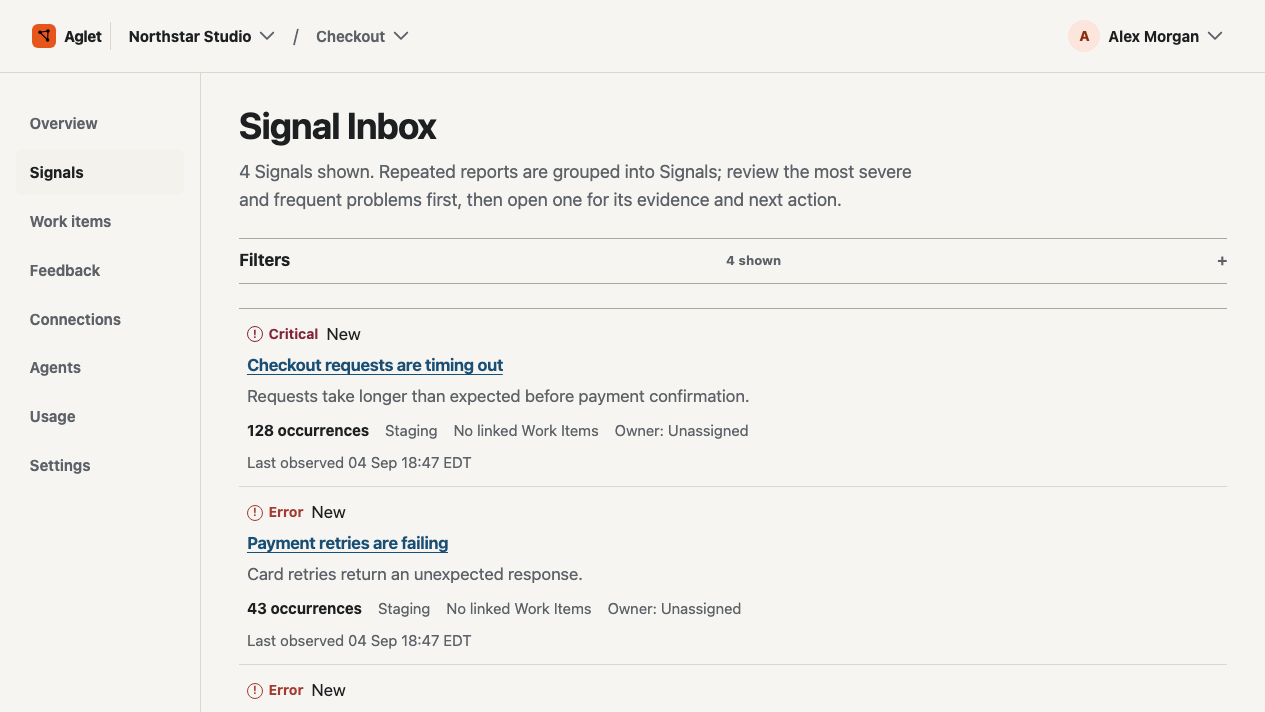
Try a sample or bring your own project.
Run the included check to see the workflow, start with a recurring problem you already know, or compare Aglet with the tools you use today.
Get to your first useful result.
Follow the setup guide in order. The built-in check uses a non-production key, creates one labeled sample Signal and linked Work Item, and does not send customer data.
-
Create an account and workspace
Sign up, name your workspace, and enter the shared space for projects and access.
Create an account -
Create your first project
Choose the product or service whose Signals and Work Items belong together. A first project opens the rest of the guide.
-
Create a test key
Use a non-production key for the built-in check. The secret is shown only once, so save it before leaving the form.
-
Run the built-in check
Open Event intake and queue the sample error. It creates one labeled sample Signal and its linked Work Item in the test environment; no customer data is sent.
-
Inspect the linked result
Open the Signal and Work Item to see the grouped problem, owner, status, discussion, and next move in one project.
Read the Signal step
The production service covers the account-to-Work-Item path. Check the connection options below before planning an integration; repository or deployment writes stay off at launch.
Read the getting started guide and setup help
Already have an account? Sign in.
Choose how your project gets its evidence.
You can try the workflow before connecting another service. These paths have different setup requirements.
- Built-in sample
- Create a non-production test key and queue a sample error from Event intake. Follow its Signal into a linked Work Item to try the review flow.
- HTTPS event intake
- Use your configured project endpoint and ingestion key. Copy a cURL, Node.js, Python, or Ruby request example, then check the saved event status in Aglet.
- Customer feedback
- Owners and administrators can record customer messages in Feedback. Matching messages are grouped automatically and can be reviewed and regrouped by your team. Anonymous widgets and attachments are not available yet.
- Read-only GitHub connection
- Connect the GitHub App and authorize selected repositories to bring repository and deployment context into Aglet. Aglet cannot push code, merge changes, or deploy through this connection.
- OpenTelemetry logs
- The Collector configuration is a preview; the OTLP endpoint is not enabled for this release. Use HTTPS event intake to send events now.
- Provider mappings
- Save and edit destination details for Vercel, Cloudflare Workers, Slack, Sentry, and generic OTLP. These records help prepare setup; they do not activate provider access or store credentials. Cloudflare Email delivery is configured outside the app.
Follow one problem all the way through.
Each view has one job: identify the pattern, choose the work, and leave a result the next person can inspect.
-
Group what keeps happening
Signals give the team a concrete problem to review. Related reports stay together so severity, occurrence, and environment are visible before anyone chooses work.
-
Give the decision an owner
Create a Work Item with a status, priority, owner, discussion, and next move. The team can see what was chosen and why.
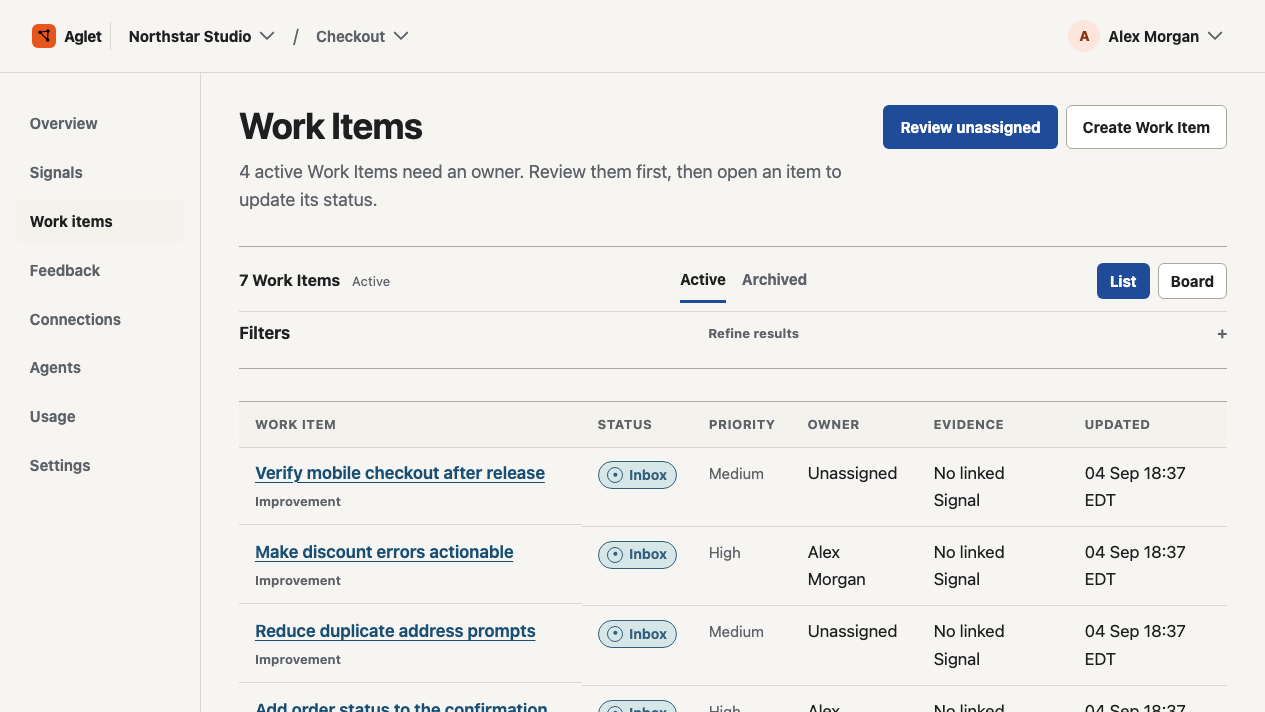
Work Items keep ownership visible · Select image to enlarge -
Keep the result attached
A verification record keeps its plan and current result with the Work Item. When observations are missing, the result stays inconclusive.
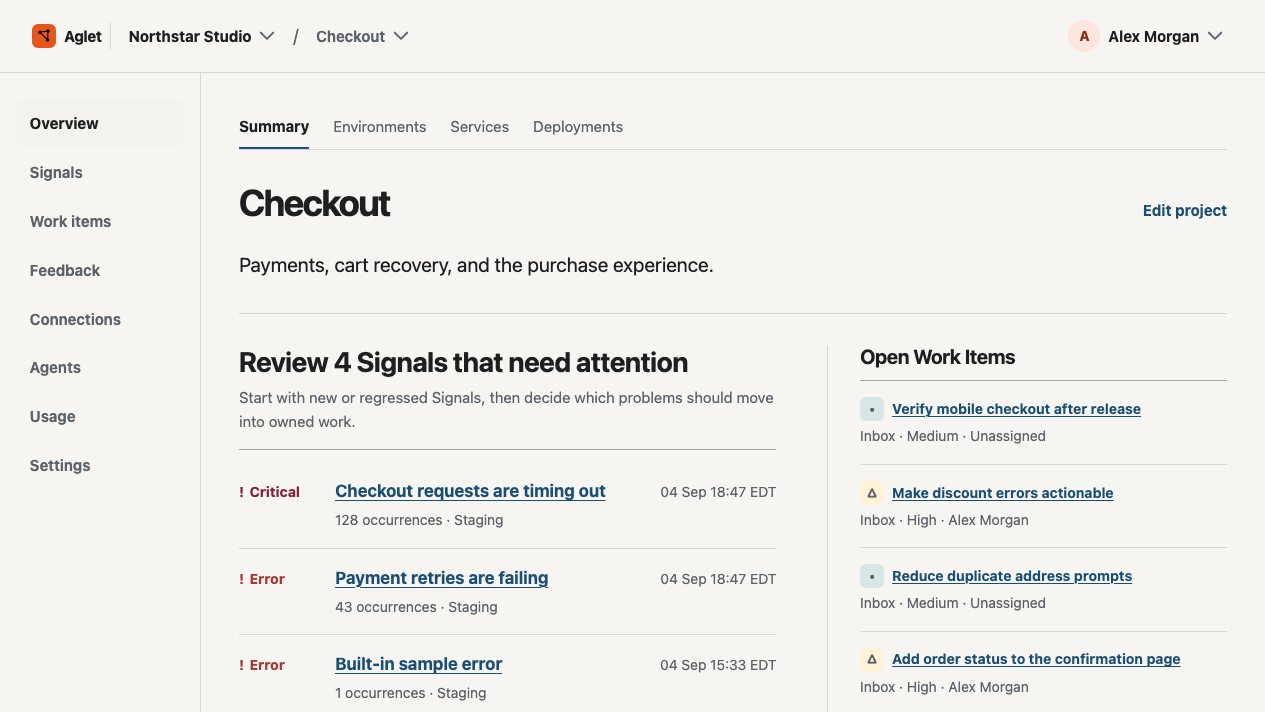
The project overview keeps the record together · Select image to enlarge
Keep authority and evidence visible.
The product shows what is available, what was chosen, and what the current record can support.
- Ownership
- Every Work Item can carry a priority, status, owner, discussion, and next move.
- Connections
- Review the setup state before sending data. A saved provider mapping does not mean provider access is active.
- Agent context
- Agent records and proposals stay with the work and its recorded permissions.
- Verification
- A result reflects the observations available to the record. Missing observations keep it inconclusive.
Open the included example.
Use one project to follow a Signal into an owned Work Item and inspect what the current result shows.
Create account